Data Sanitization Pentaho Data Integration (PDI) example
Example case
The objective of this tutorial example is to make a case study analysis for the process of credit card numbers anonymization.
The numbers need to be scrambled in a unique and not randomized way. This means that a given credit card number will be masked in the same way each time.
Please refer to the Data masking considerations on our pages to get more background information.
The following assumptions have been made for this test scenario:
Credit card numbers scrambling algorithm
-
The algorithm for scrambling credit card numbers is as follows:
- Get the original credit card number (16 digits)
- Calculate MD5 checksum for this number (32 digit hex)
- Remove all the digits from A to F from the hex number. Just replace them by a null string (the length of that number will vary)
- Subtract the first 16 digits from the modified hex. If the modified hex is shorter than 16 digits then fill the gap with a digit '9'
Detail solution description
The solutions shown in this tutorial are implemented in Pentaho Data Integration (Spoon).
There are two transforms to handle the processing:
- gen_acc_no.ktr - the transform to generate and scramble credit card numbers
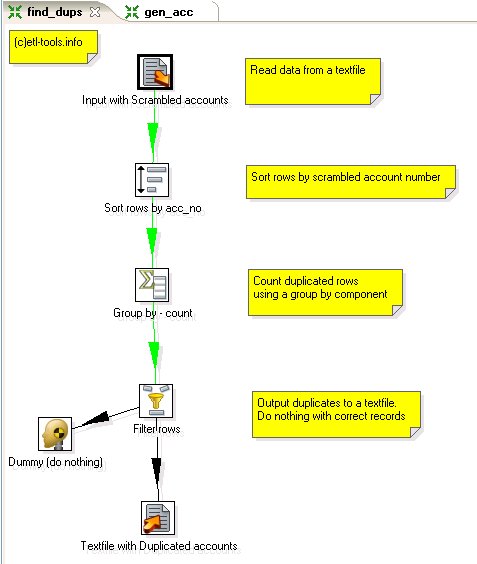
- find_dups.ktr - check for duplicates.
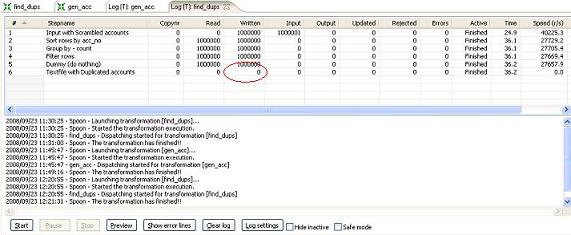
The transform will be also modified to check if the algorithm also works for shorter numbers and to find out how big the population can be to remain unique using this approach.
Generate and scramble credit card numbers - gen_acc_no transform
The transform does the following processing:
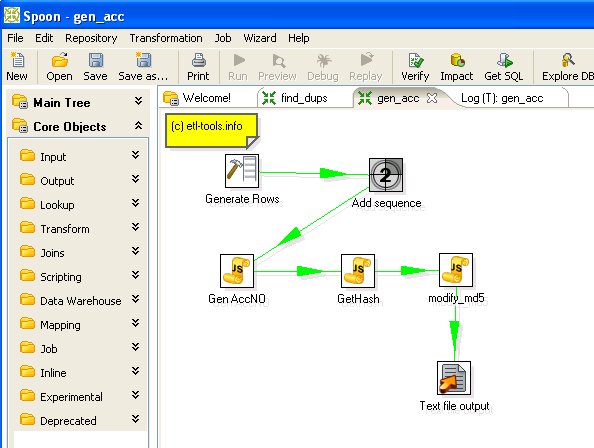
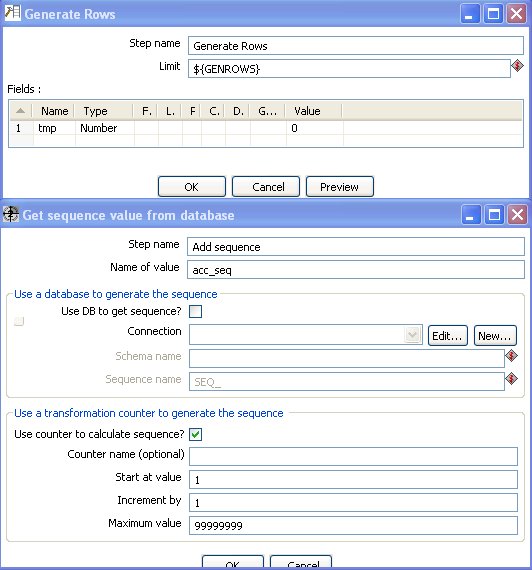
Javascript component to generate card numbers:
//set parameters
var acc_length=str2num(getVariable("ACC_LEN",""));
var fill_char=getVariable("FILL_BLANKS_CHAR","");
//calculate random modifier
var
rnd_suffix = ""+Math.round(Math.random()*100000);
//fill in missing characters
var
str_acc_seq=""+acc_seq.getInteger();
//convert to string
var
fill_cnt=acc_length-rnd_suffix.length-str_acc_seq.length;
//repeat string
var str_tmp="";
for (var
i=0;i<fill_cnt;i++) {
str_tmp=str_tmp+fill_char;
}
//generate random and unique account number
var acc_no =
rnd_suffix+str_tmp+str_acc_seq;
MD5 hash Javascript function in Kettle:
var acc_no_md5 = new Packages.org.apache.commons.codec.digest.DigestUtils.md5Hex(acc_no.clone());
Javascript component to modify MD5 hash to generate scrambled numeric credit card number:
var
str_tmp="";var fill_char=getVariable("FILL_BLANKS_CHAR",""); //char used to fill blanks
var
acc_no_nohex=acc_no_md5.clone();acc_no_nohex.replace("a", "").replace("b", "").replace("c", "").replace("d", "").replace("e", "").replace("f", "");
var
acc_no_tmp=""+acc_no_nohex;if
(acc_no_tmp.length<acc_length.getNumber()) {//fill in missing characters
var fill_cnt=acc_length.getNumber()-acc_no_tmp.length; //repeat string
for (var i=0;i<fill_cnt;i++) {
str_tmp=str_tmp+fill_char;
}
acc_no_tmp=str_tmp+acc_no_tmp;
}
var
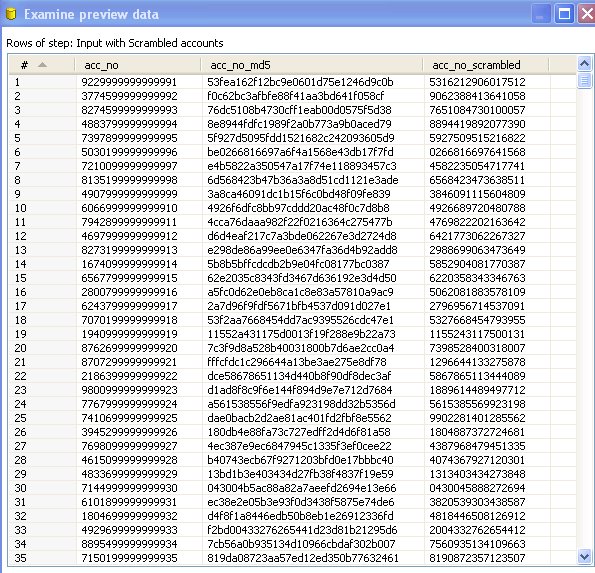
acc_no_scrambled = substr(acc_no_tmp,0,acc_length.getNumber());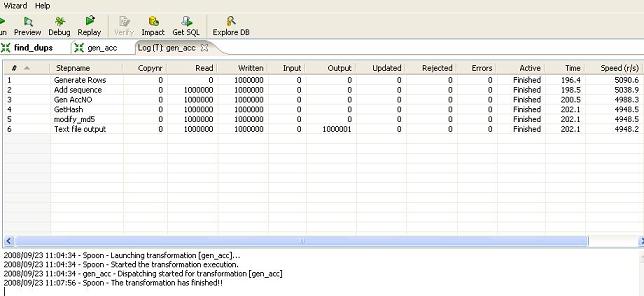
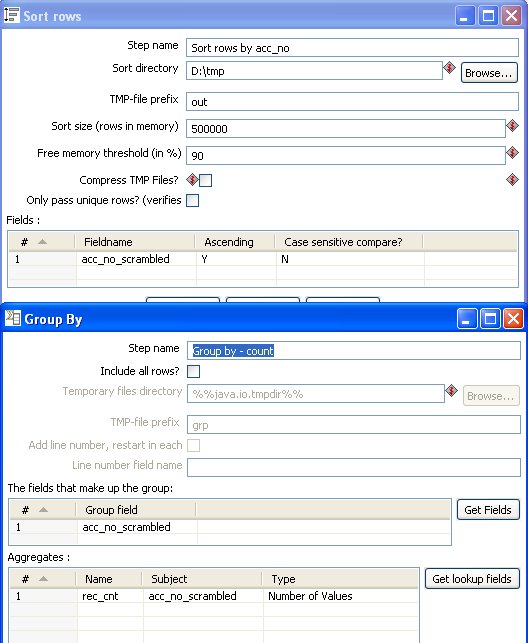
Find duplicates - find_dups transform
The transform does the following processing: